 Reviewed by ACEPH Brand Team
 ACEPH Login
Sign in to your account and continue enjoying the ACEPH gaming experience
Log in to ACEPH and continue your gaming journey
Use your ACEPH login details to return to your account and pick up where you left off. Once signed in, you can access the platform’s available game categories, including Slots, Fishing, Live Casino, Arcade, Blockchain, Sports and Lottery. The login process is designed to be straightforward, while account protections such as 256-bit SSL encryption and two-factor authentication help safeguard your information. Enter your registered username and password carefully, then review the current game and promotion terms before taking part. ACEPH is intended for Philippine adults aged 21 and above. Play responsibly, set a budget, and only participate when it remains enjoyable and within your limits.
Quick login tips
For smoother account access, keep your username details available and use the “Remember me” option only on a private, trusted device. Avoid saving login information on public or shared computers. Before signing in, check that your internet connection is stable and confirm that your details are entered correctly.
Having trouble logging in?
If you cannot access your ACEPH account, first check that you are using the correct username and password. Passwords are case-sensitive, so enter uppercase and lowercase letters exactly as registered. Your username must follow the account requirements, including the supported 6-to-13-character length. If you have forgotten your password, select “Forgot your password?” and follow the available reset instructions. If the issue continues, contact ACEPH through 24/7 Live Chat, Email or WhatsApp. The support team typically responds within two minutes, subject to service conditions.
Keep your login secure
Protecting your ACEPH account is a shared responsibility. Use a strong, unique password that you do not reuse elsewhere, and never disclose your login details to another person. Avoid signing in through unsecured public Wi-Fi, keep your device updated, and review your account if anything looks unusual. Two-factor authentication and 256-bit SSL encryption provide added protection, but they do not replace careful account habits. Always log out when you finish, especially after using a shared device. For gaming access, keep participation limited to adults aged 21 and above, and play within a personal budget.
Security reminder
ACEPH will not ask for your password by email or phone. Treat any request for your login details as suspicious and do not share them. Be alert to phishing messages and check that you are using the official ACEPH website at aceph.study before entering account information. If you believe your details may have been exposed, change your password and contact support through a verified channel.
What to do after logging in
After you log in to ACEPH, you can review your account area, including your available balance, recent betting activity and eligible rewards. Browse the game lobby to find titles you enjoy, or explore the live betting section for available events and markets. Check current promotions before claiming any offer, and review your account settings whenever needed. Set personal limits and keep your participation within a budget you can afford. If you choose to deposit, use only an amount planned for entertainment and always check the applicable promotion terms. ACEPH is committed to providing a clear and practical gaming experience for Philippine adults aged 21 and above.
Why Log In to ACEPH
Fast Account Access
Use the ACEPH login page to reach your account and available games without unnecessary steps. Once signed in, you can browse the lobby, review eligible account offers and choose whether to play or place a bet. All outcomes are random, so take part for entertainment and never treat gaming as a source of guaranteed income.
Protected Account Access
Your login credentials and personal information are protected with 256-bit SSL encryption and two-factor authentication. ACEPH treats account security as a priority, but you should also keep your password private, avoid sharing verification codes and sign out on shared devices.
Access from Your Preferred Device
Sign in to ACEPH using a computer, smartphone or tablet. The platform is supported through the web, with a mobile-optimised experience and iOS and Android access available for convenient account use across compatible devices.
Selected promotions
After signing in, you can check promotions, rewards and other offers made available to members. Eligibility, bonus values and any playthrough or withdrawal conditions depend on the current promotion terms, so read the details before opting in.
Betting History
Review the account information and activity available after you sign in, including your bets and related transactions where shown. Checking your records can help you keep track of your play, monitor your spending and make more informed decisions about responsible participation.
24/7 Customer Support
If you have trouble logging in or need help with your account, ACEPH customer support is available through Live Chat 24/7, with Email and WhatsApp support also available. The recorded average response time is within two minutes, although actual response times may vary.
How to Fix Common Login Issues
Login difficulties can sometimes result from an incorrect password, browser data, a weak connection or a temporary account security check. Try the steps below to troubleshoot the issue, and contact ACEPH support if you still cannot access your account. Never create duplicate accounts to get around a login problem.
Forgot Your Password?
Select the password recovery option on the login page and follow the instructions shown. Use the email address linked to your account if requested, then create a new password that meets ACEPH requirements: 6 to 12 alphanumeric characters. Do not share your new password or any verification code with anyone.
Account Temporarily Locked
Several unsuccessful password attempts may trigger a temporary security lock. Wait before trying again, check that your username and password are entered correctly, and contact ACEPH support if access does not return. Support can guide you through the next account-recovery steps.
Browser Troubleshooting
Clear your browser cache and cookies, then reopen the ACEPH login page. You may also try an updated browser or a private browsing window. Make sure your login details are entered exactly as registered, and avoid saving them on a public or shared device.
Check Your Internet Connection
Make sure your internet connection is stable before submitting your login details. A slow or interrupted connection can prevent the sign-in page from loading correctly. If the issue continues, switch to a reliable connection and try again later.
Log In on Mobile
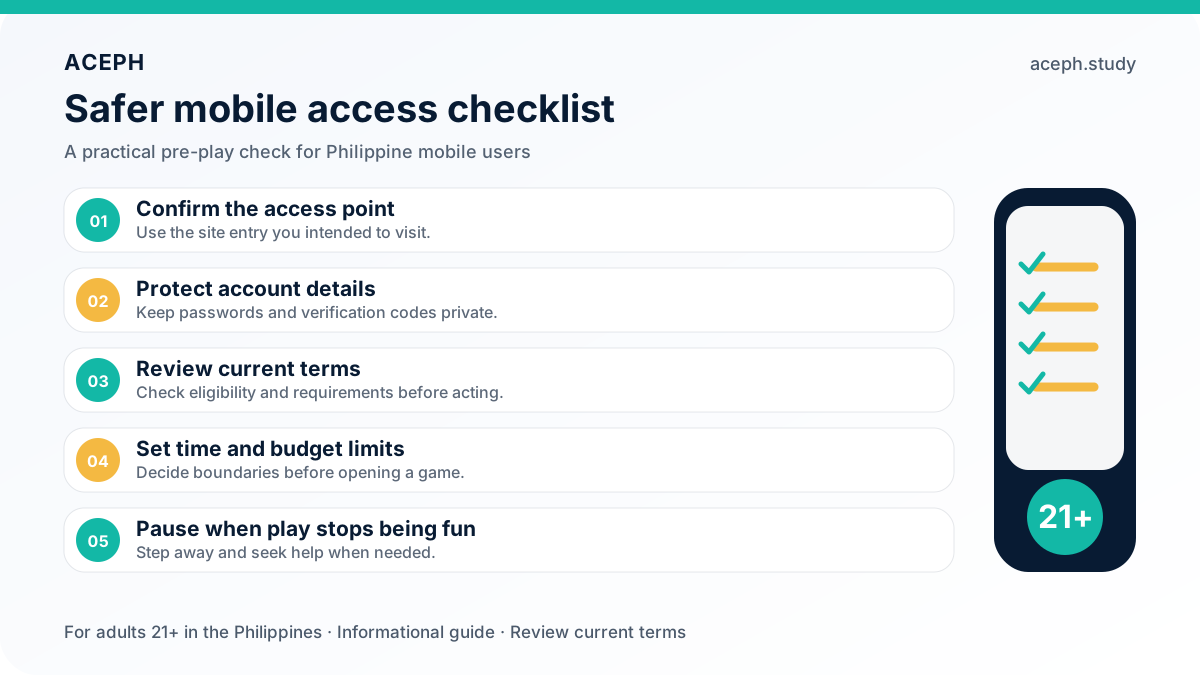
ACEPH is optimised for mobile use, so you can sign in from a smartphone or tablet through your mobile browser. Open the ACEPH website, select the login button and enter your registered username and password. The mobile experience is designed for quick navigation across supported games and account features, while iOS and Android access are also available. For better security, do not store your credentials on a shared device, and enable two-factor authentication where available. Play only when you are in control of your time and budget, and remember that ACEPH gaming is for adults aged 21 and above.
Log In to Your ACEPH Account
Enter your account securely to browse available games, live casino options, sports markets and current member promotions. Before you participate, check your balance, understand the relevant terms and set a budget you can afford to lose. Gaming is entertainment, not a guaranteed way to earn money, and responsible participation is for adults aged 21 and above.
Log in